Export
Press Ctrl+E, or choose File, Export, to send a part to a slicer or another program.
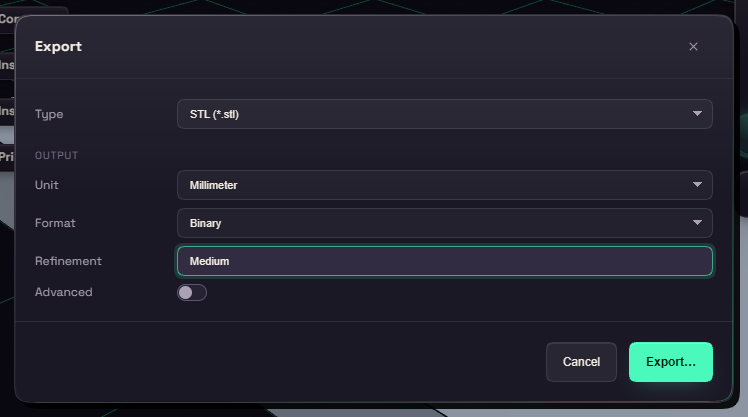
Type picks the format. STL and 3MF suit slicers, STEP keeps exact surfaces for other CAD programs, and GLB is for viewers. With several bodies you can export all in one file or one file per body.
Leave Unit on Millimeter, since a slicer reads numbers literally. Refinement sets how finely curves are cut into triangles. Medium suits most prints, High suits large smooth curves, and Low suits quick tests.
If a step failed, a warning names it, because its shape is missing from the file.
DXF and SVG draw one sketch or one flat face at true size in millimetres, for a laser cutter or a drawing program. Right click a sketch in the browser, or a flat face in the view, and choose Export as DXF or SVG, or select one and use File, Export. A face keeps its holes, and its drawing lines up with a sketch on that face. Lines, arcs and circles stay exact, other curves become short straight lines within Tolerance of the curve.
| Format | Import | Export |
|---|---|---|
| STL, 3MF, STEP, GLB | yes | yes |
| DXF, SVG | yes | yes, a sketch or a flat face |
| OBJ | yes | no |