Home
Home is where FundaCAD starts. It shows the documents you worked on, starts new ones and takes you back to any version of a document.
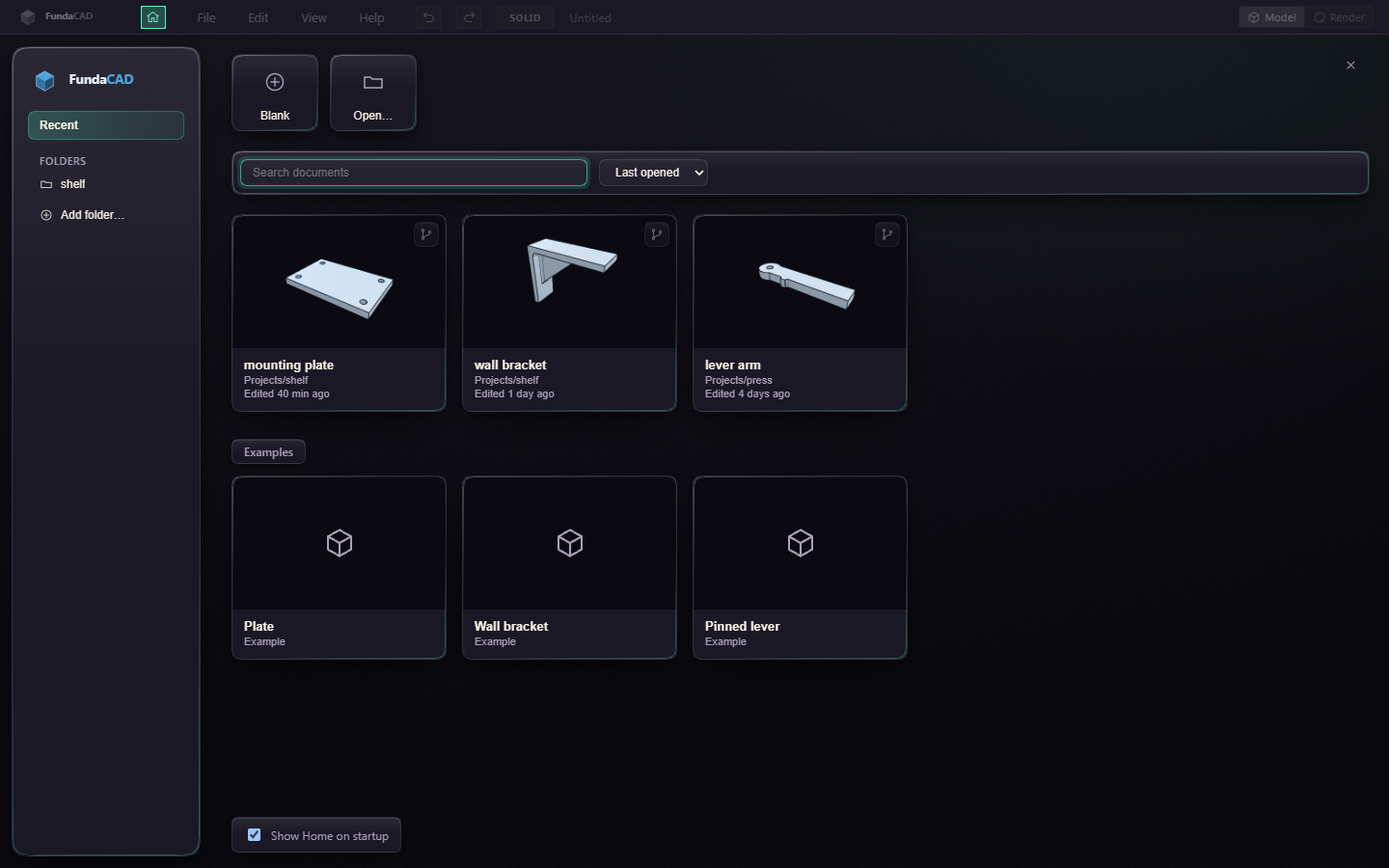
Click a card to open the document. Each card shows a picture of the model from its last save, the folder it is in and when it was last edited. A card marked Not found points to a file that was moved or deleted, click it to take it off the list.
Blank starts an empty document and Open… finds a file on disk. The Examples under your documents start one that already has parameters and a few steps, and Save then asks where to keep it. Examples says what each one shows.
Type in the search field, or press Ctrl+F, to find a document by name or folder, or an example by name, and pick the order next to it. Esc in the search field clears it.
Add folder puts a folder of your own under Folders, to keep the documents of one project together. Home lists the documents in it and in its subfolders, and a document you start there is saved into it. Right click the folder and choose Remove from Home to take it off, the folder stays on disk.
Versions on a card lists the document's branches and saved versions. Open on a branch opens the document on that branch. Restore opens the document at that version, and Ctrl+Z undoes it. Open copy does the same as a new untitled document, so the original file stays as it is.
Press Esc or the close button to go back to your document. File > Home and the home button in the title bar bring Home back. While Home is open the rest of the title bar is dimmed and switched off, the home button stays lit and takes you back. Turn off Show Home on startup to start straight on an empty document.
Home sits on a plain paper background. In Preferences > Appearance, Home background can show your workspace dimmed behind it instead, or a PNG or JPEG picture of your own.
The pictures are kept on this computer, so a document copied from elsewhere shows its picture after you open it once.