3D mouse
If you have a 3D mouse, this plugin lets you fly around the model with its puck. It is on by default and adds a View menu.
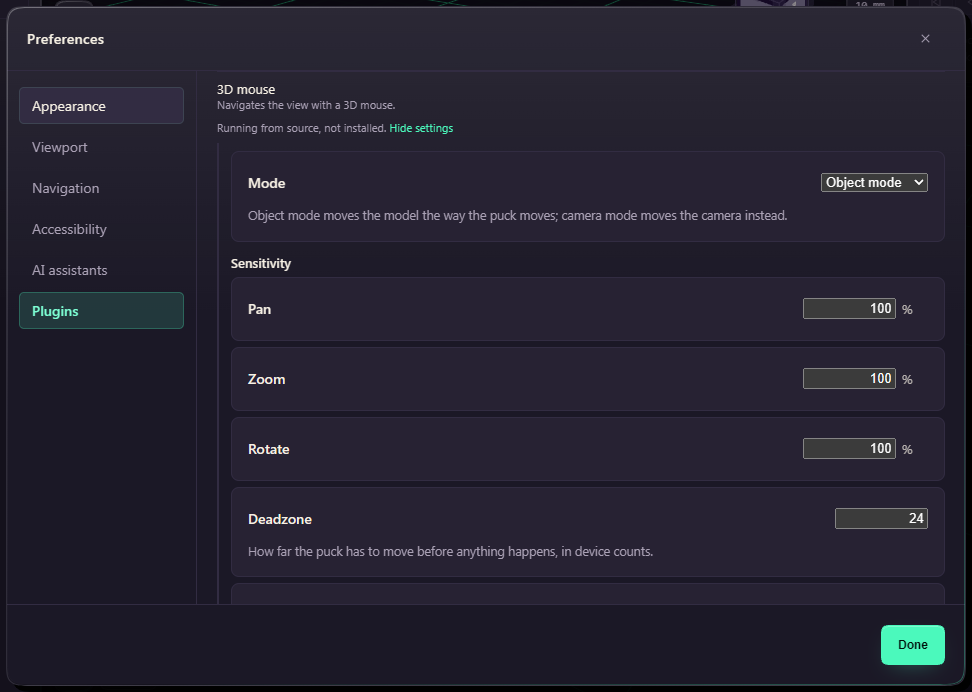
Object Mode turns the view the way you would turn a part held in your hand, and Camera Mode flies the camera around it. Both only change the view, never the model. Switch in the View menu. Button 1 fits the view and button 2 returns to the isometric view.
View, 3D Mouse Settings opens its row in Preferences, Plugins, where you set the sensitivity and the Deadzone, which helps if the view creeps.
Linux
If spacenavd is running, FundaCAD reads the mouse through its socket (/run/spnav.sock) and needs nothing else. That is the way to use a 3D mouse that other programs use too, and what you set in spnavcfg (swapped or inverted axes, dead zones) applies here as well. If spacenavd is restarted, FundaCAD reconnects within a few seconds. FundaCAD stays connected to spacenavd while the puck is idle. If spacenavd might not support your mouse and FundaCAD can read the device directly too, it listens to both and uses whichever sends first.
Without spacenavd, FundaCAD reads the device directly and needs permission for it. If it finds the mouse but cannot read it, it says so, and the fix is to install the udev rule packaging/99-spacemouse.rules (sudo sh packaging/setup-spacemouse.sh from the source folder, then replug the mouse) or to start spacenavd. The deb and rpm packages install the rule for you.