Versions
Saving overwrites the last file, while versions are checkpoints you can return to.
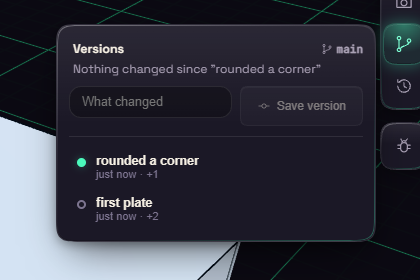
Open the Versions button at the edge of the viewport, type a note such as "thicker walls", and press Save version. Click a version to see what changed.
Restore takes the document back, and Ctrl+Z undoes that. Branch from here starts a separate line of work for a risky idea. Versions travel inside the file. Versions on a card in Home lists them without opening the document.