Versions
A version is a checkpoint saved inside the document, so you can go back to it after later saves.
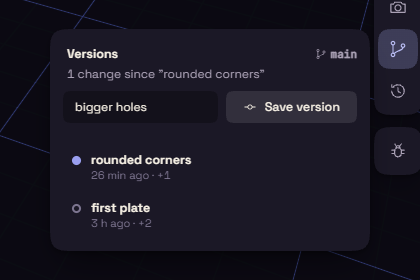
Save a version
- Open Versions in the view controls, on the right of the view.
- Type what changed, such as "thicker walls".
- Press Save version. It stays off while nothing has changed.
Go back
Click a row to list the steps it changed.
- Restore takes the document back to that version. Undo brings back what you had.
- Branch from here starts a separate line of work. Name the branch and press Create.
With more than one branch, a list at the top of the panel switches between them. The Versions button on a card in Home lists the versions without opening the document.