Dimensions
A dimension is a constraint with a number in it, such as a length of 40 mm.
Most shapes already show their own sizes, such as a rectangle's width and height. Use the Dimension tool for the distances and angles between shapes.
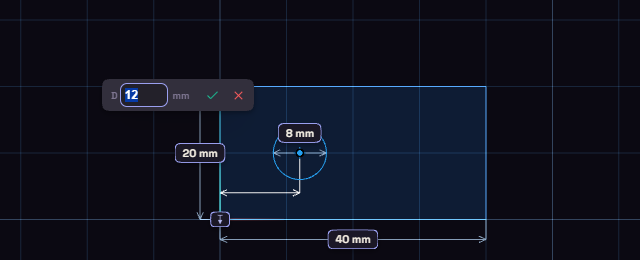
- Press D, or click Dimension on the rail.
- Click a line or circle. Click a second thing for the distance or angle between them.
- Click where the number goes, then type the value and press Enter.
Double-click a number to change it later, right-click it to delete it. A dimension also takes a parameter name or an expression such as width / 2, which the parameters page explains.
The Dimension menu
Right-click while the Dimension tool runs for the choices a click cannot make.
- Pick Circle/Arc Tangent: the next click on a circle or arc measures to its edge, not its centre.
- Reflex angle: an angle measures the outside of the wedge.
- Radius or Diameter: what a lone circle or arc shows.
- Driven (reference): the dimensions you place next are reference dimensions.
A reference dimension shows a size but never moves the sketch, and you cannot type into it. Reference Dim in the palette is the same switch. Lengths and diameters cannot be reference dimensions yet.