Type exact sizes
While a shape hangs on the cursor, a small value box shows its size. Type a number and the shape holds it wherever the mouse goes.
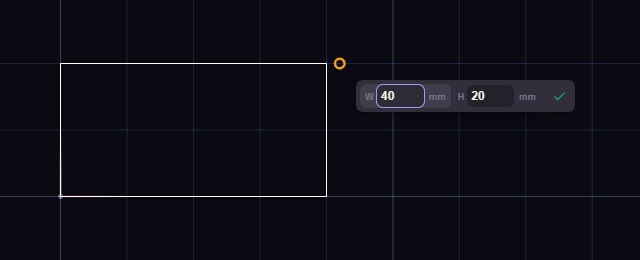
- Click the first corner of a rectangle.
- Type 40 and press Tab. Tab locks the box you are in and moves to the next.
- Type 20 and press Enter, or click the tick.
| Tool | Boxes |
|---|---|
| Line | L and Angle |
| Rectangle, Center Rect, Rect 3-Pt | W and H |
| Circle, Circle 2-Pt | Diameter |
| Polygon | R and N, the number of sides |
| Slot | L, then W |
A typed width, height or diameter stays on the shape as a dimension, so it holds when you drag the shape.
A box takes other units too. Type 1 in, or click the unit beside the number to change it.