Interference
Interference finds bodies that overlap, which you want to know before you print an assembly. It needs at least two bodies.
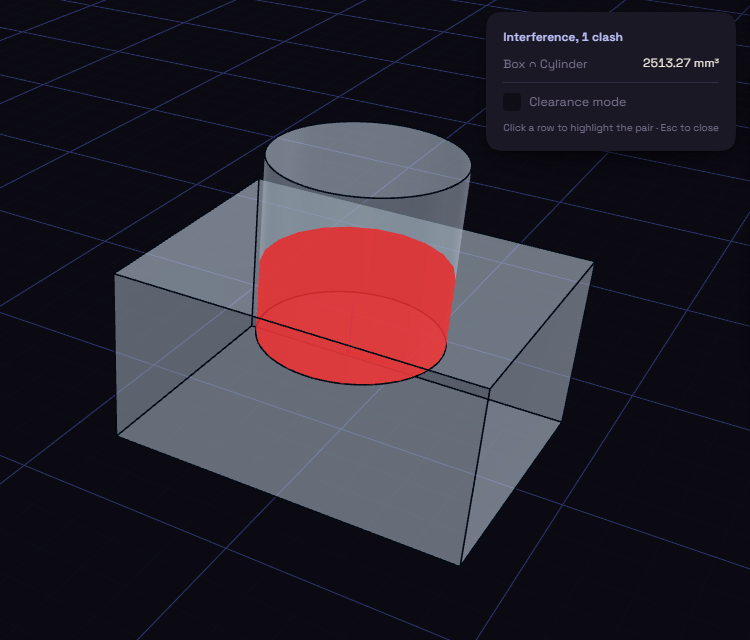
- Under Inspect, open Analyze and pick Interference.
- Each row names a pair of bodies and the volume of their overlap, and the overlap is drawn in red in the view.
- Click a row to highlight that pair.
An overlap inside a part is hidden, so press X to see through the parts.
Turn on Clearance mode to also list pairs that come closer than a gap you type. It starts at 0.2 mm, a common gap for parts printed in place.
Only closed solids can be checked. A surface, or an import whose faces do not close, is listed as Not checked with the reason, so an empty list never hides it.