Properties
Properties shows the size and weight of your bodies. Open it from the Analyze menu on the rail, or right-click a body and pick Properties.
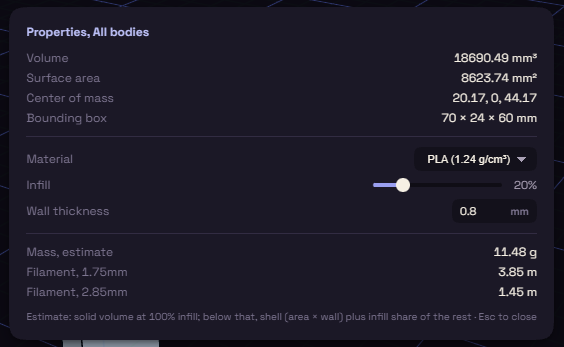
It measures the selected bodies, or all bodies when nothing is selected. It lists:
- Volume
- Surface area
- Center of mass, also marked in the view
- Bounding box, as width × depth × height
Press Esc to close it.
Print estimate
Below those is an estimate for printing. Your choices are kept for next time.
| Setting | At first | Options |
|---|---|---|
| Material | PLA | PLA, PETG, ABS, ASA, TPU, Nylon, or Custom… with a Density of your own |
| Infill | 20 % | 0 to 100 % in steps of 5 |
| Wall thickness | 0.8 mm | the outer shell, counted as solid |
It gives Mass, estimate in grams and the filament length in metres for 1.75 mm and 2.85 mm spools.
A body that is not solid
A body with an open shell, or with faces that point the wrong way, has no inside to measure. Properties then says it is not a sound solid and names what is wrong with each body.
Its Volume, Center of mass and print estimate are left out. Surface area and Bounding box still show.