Overhang
Overhang paints the faces that lean out too far to print without support. Check it while turning the part is still easy.
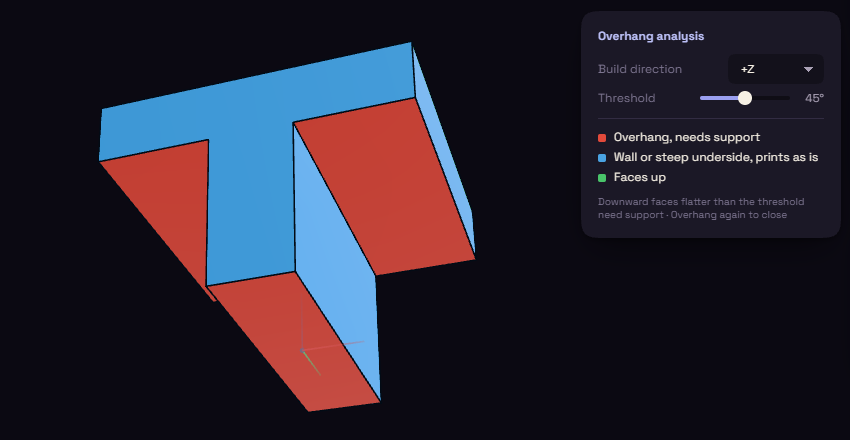
- Under Inspect, open Analyze and pick Overhang.
- Red faces need support. Blue faces are walls or steep undersides that print as they are, and green faces point up.
- Pick Overhang again to switch it off.
The Overhang analysis panel has two settings.
| Setting | What it does | Starts at |
|---|---|---|
| Build direction | The direction your printer stacks its layers | +Z |
| Threshold | Downward faces flatter than this angle need support | 45° |