Move
Move (M) places a body somewhere else. It moves a sketch or a datum plane the same way.
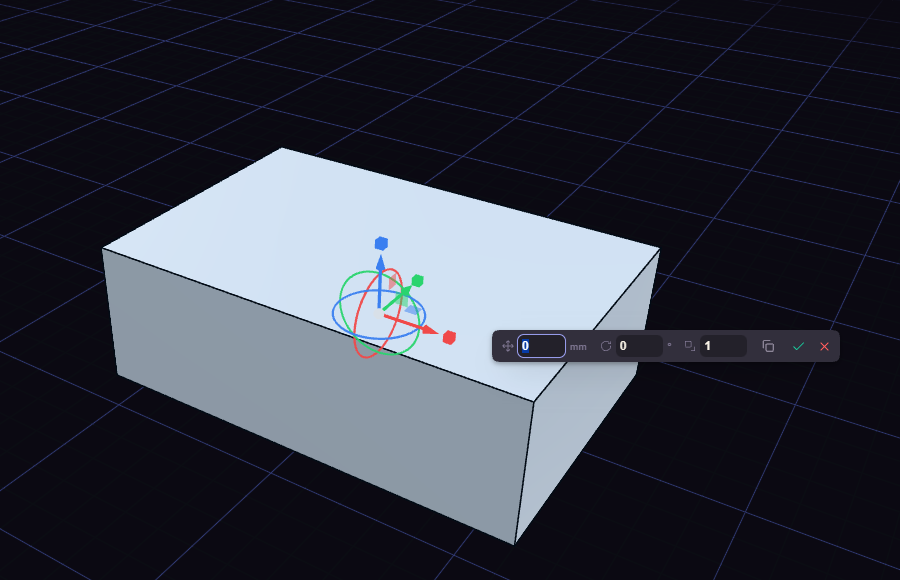
- Click a body and the gizmo comes up on it. Pressing M with nothing selected takes the most recent body.
- Drag a handle. Dragging snaps to round steps, and Shift makes them finer.
- Press Enter to apply every drag since the last Enter as one step, or Esc to drop them.
The handles:
- Arrows slide along an axis.
- Squares slide in a plane.
- Rings turn the body.
- Cubes resize it.
- The centre moves the point the other handles act about.
To type an exact value, click an arrow, a ring or a cube first, then type it in Move, Angle or Scale in the box.
Switch on Copy in the box, before or after dragging, to move a copy and leave the original. Ctrl+Z before Enter drops only the drags not yet applied.