The node editor
The node editor builds a surface pattern of your own from small blocks called nodes. It opens along the bottom of the screen, with your part above it as a live preview.
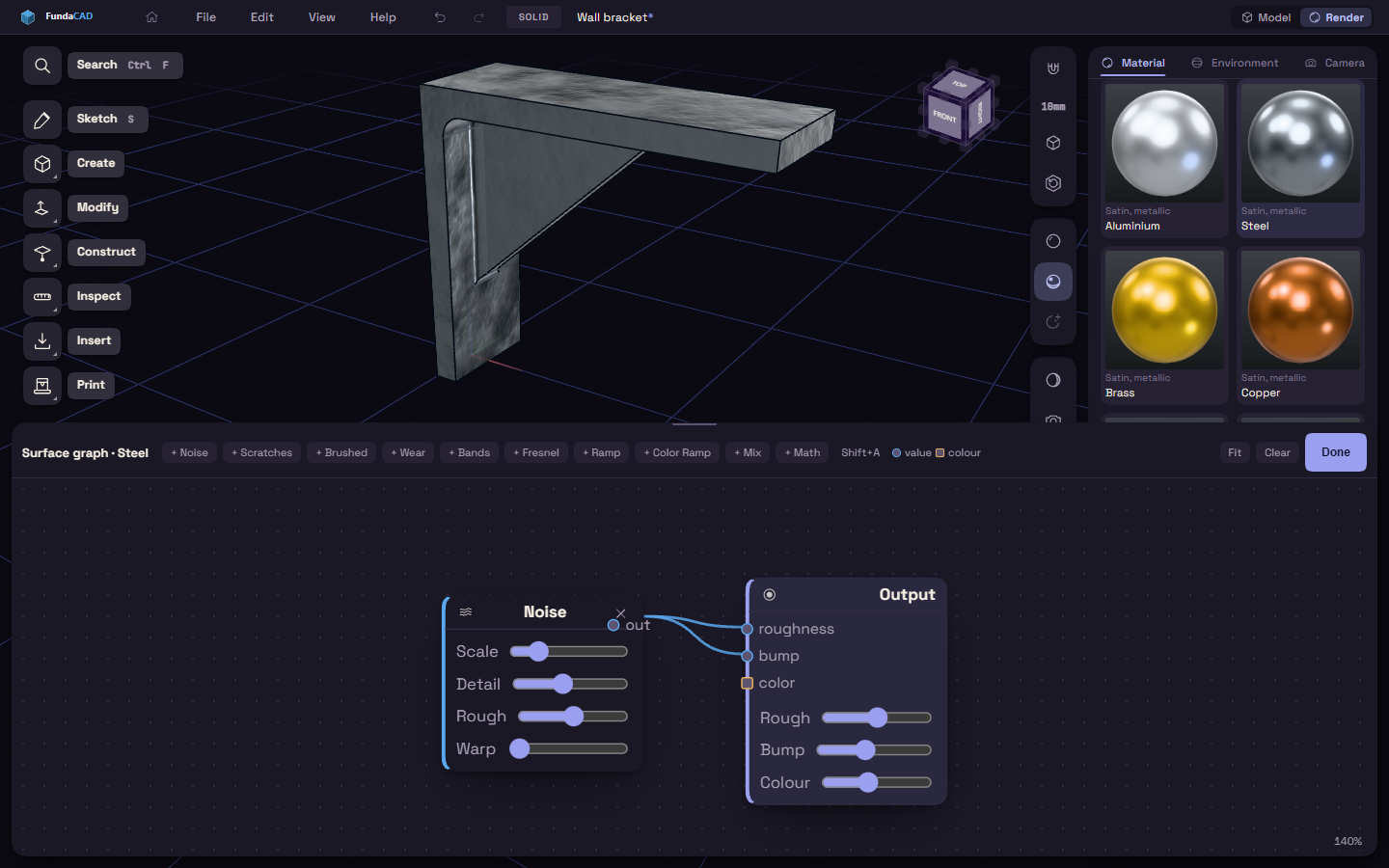
Build a graph
- Select a material and press Edit graph… under Surface.
- Add a node with the + buttons along the top, or press Shift+A for a menu at the pointer.
- Drag from a node's out dot to an input dot of another node, or click one dot and then the other.
- Wire the last node into Output, which takes roughness, bump and color.
- Press Done.
The node list has Noise, Scratches, Brushed, Wear and Bands for patterns, Fresnel, Ramp, Color Ramp, Mix and Math to shape them.
Find your way around
- A dot's colour says whether it carries a value or a colour, and only the same kind connect.
- Click a wired input to unplug it. The cross on a node removes it.
- Drag the background to pan and scroll to zoom. Fit brings every node into view.
- Clear starts over with only the Output node.
- Drag the top edge of the editor to make it taller.