Repeat shapes
The Pattern button on the rail repeats shapes you drew. The copies stay tied to the original, so they follow when it changes.
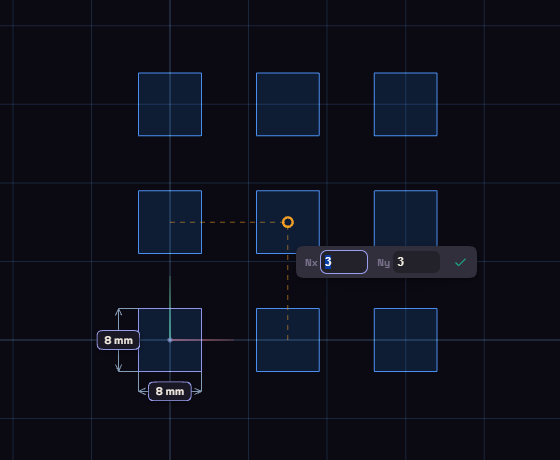
| Tool | Lays copies out | Boxes | Starts at |
|---|---|---|---|
| Linear Pattern | In a row, in any direction | N | 3 copies |
| Rect Pattern | In a grid of rows and columns | Nx, Ny | 3 by 3 |
| Circular Pat. | Around a centre | N, Angle | 6 copies over 360 degrees |
The original counts as one copy, so a count of 3 makes two more.
Make a pattern
- Pick the tool, then click the curves to repeat, or inside a closed shape to take its outline. What you selected before is already picked.
- Click where the pattern starts. For Circular Pat., click the centre.
- Move the mouse to set the spacing, or the sweep for Circular Pat., and type the counts in the boxes.
- Click again to place it.
A linear pattern follows the mouse in steps of 15 degrees. Hold Alt to turn it freely.
With shapes already selected, Circular Pat. starts at once around them. Drag the centre dot to where the centre should be.
Change a pattern
Double-click a copy to reopen its pattern. Drag or type to change it, click to keep it, or press Delete to remove the pattern.
You cannot change or dimension a single copy. Draw it by hand if one needs to differ.